
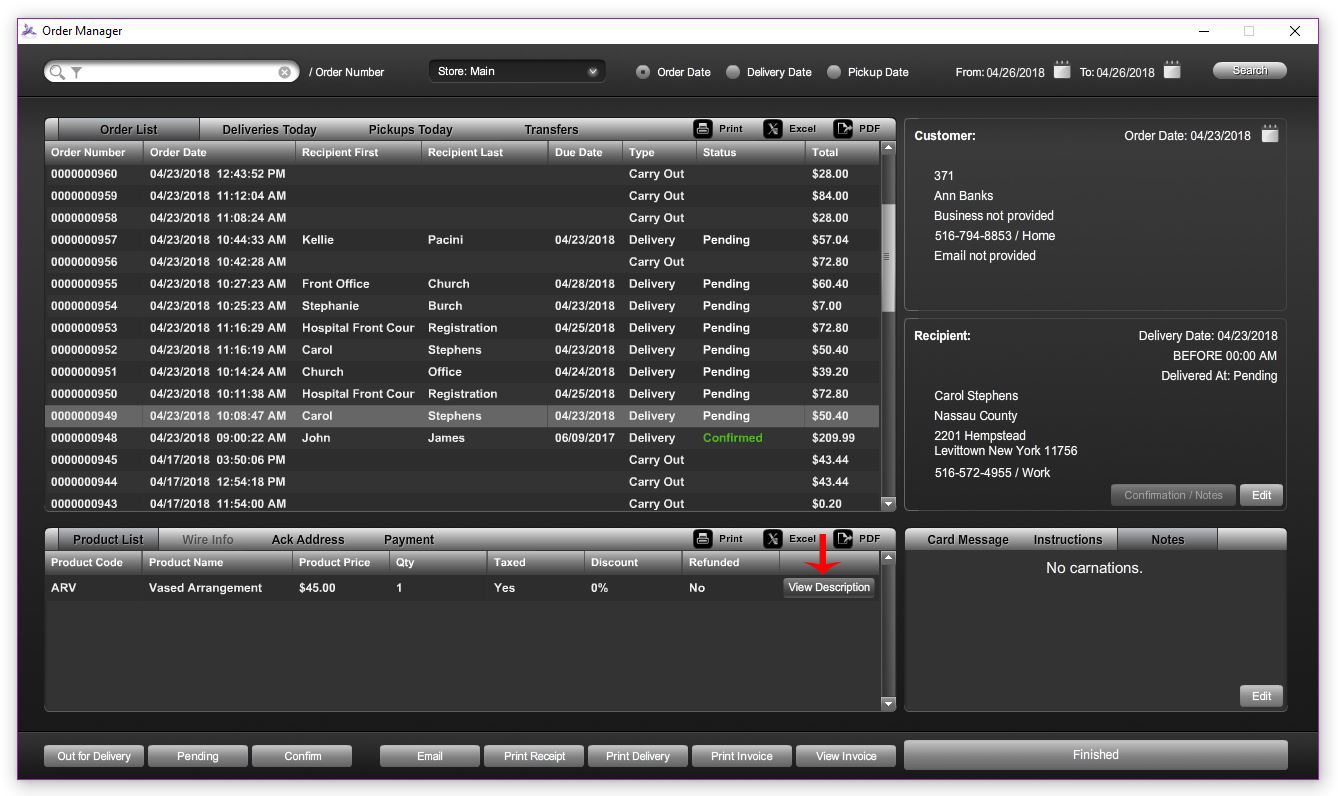
- To view the full product descriptions, click on ORDER MANAGER on the bottom LEFT side.

- Use the search bar in the top LEFT corner to search for the desired order by its Order Number, Customer Name, Business, Customer Phone, Recipient Name or Order Total.

- Once the order is located, select the ORDER (once selected, it will appear a lighter gray) and click on the VIEW DESCRIPTION button under the PRODUCT LIST.
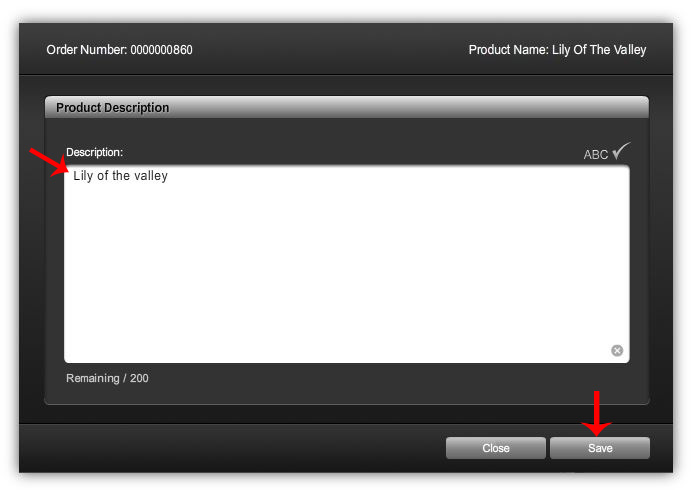
- A window will appear which allows you to view and edit the FULL PRODUCT DESCRIPTION as needed.
- When complete, click SAVE.
Comments
0 comments
Please sign in to leave a comment.